

Monitor every change, control all updates, and fine-tune your website’s maintenance workflow.
WordPress applies your updates, but it keeps no record of them. Not what, not when, not how. Updatronix adds two layers to the native system: one for monitoring and one for control.
Monitoring
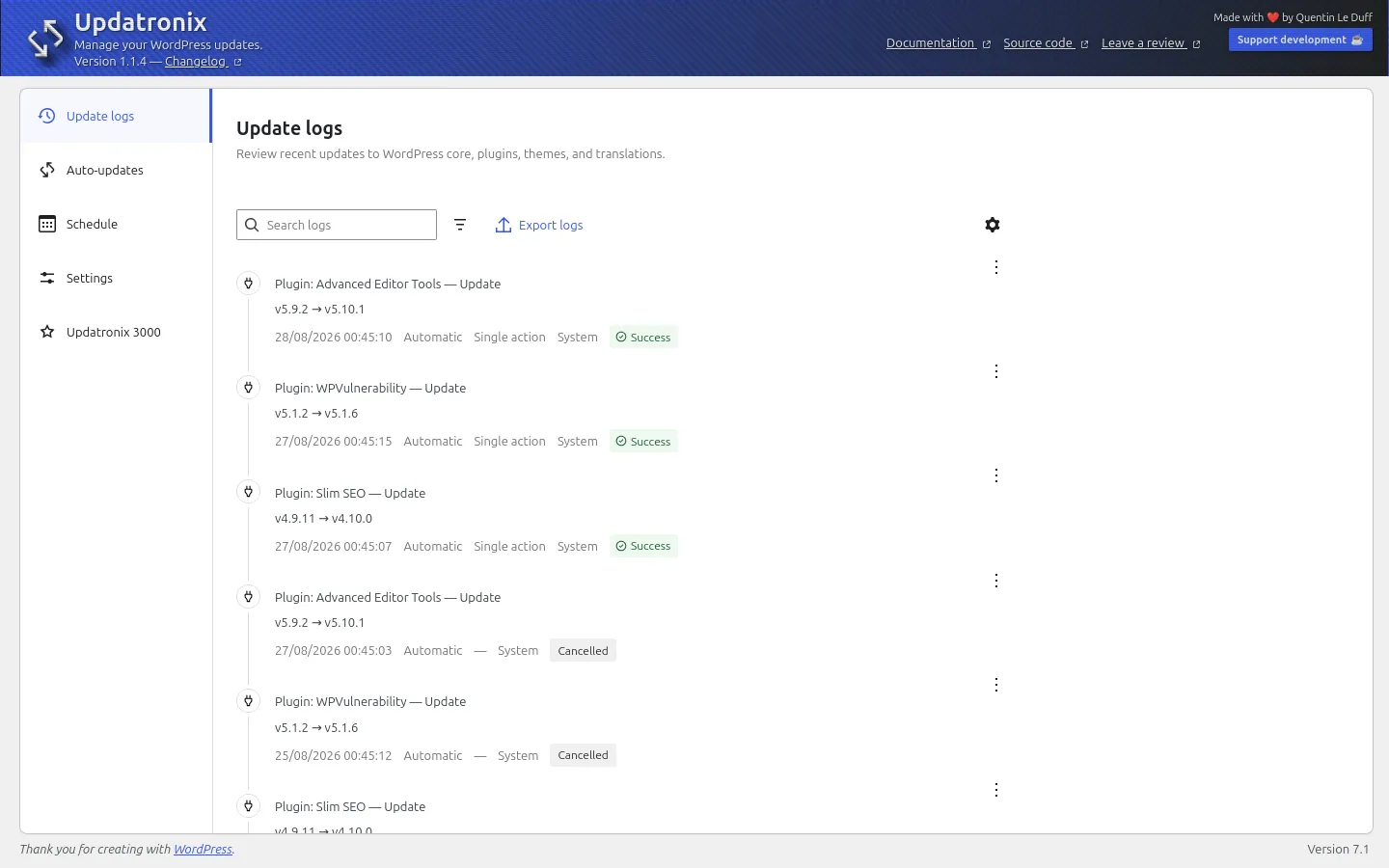
Every core, plugin, theme, and translation update is logged with its before/after versions, trigger, and result.
Control
Automatic update settings are scattered across several places in WordPress. Updatronix brings them together on a single page, where everything becomes easy to view.
Sharing
You filter the update logs however you want, then export them with a single click (for a maintenance report, for example).
Features
Update logs
A precise logging system of all site updates: before/after versions, trigger, and result. If something goes wrong, you have a precise starting point instead of a guess.
Automatic updates
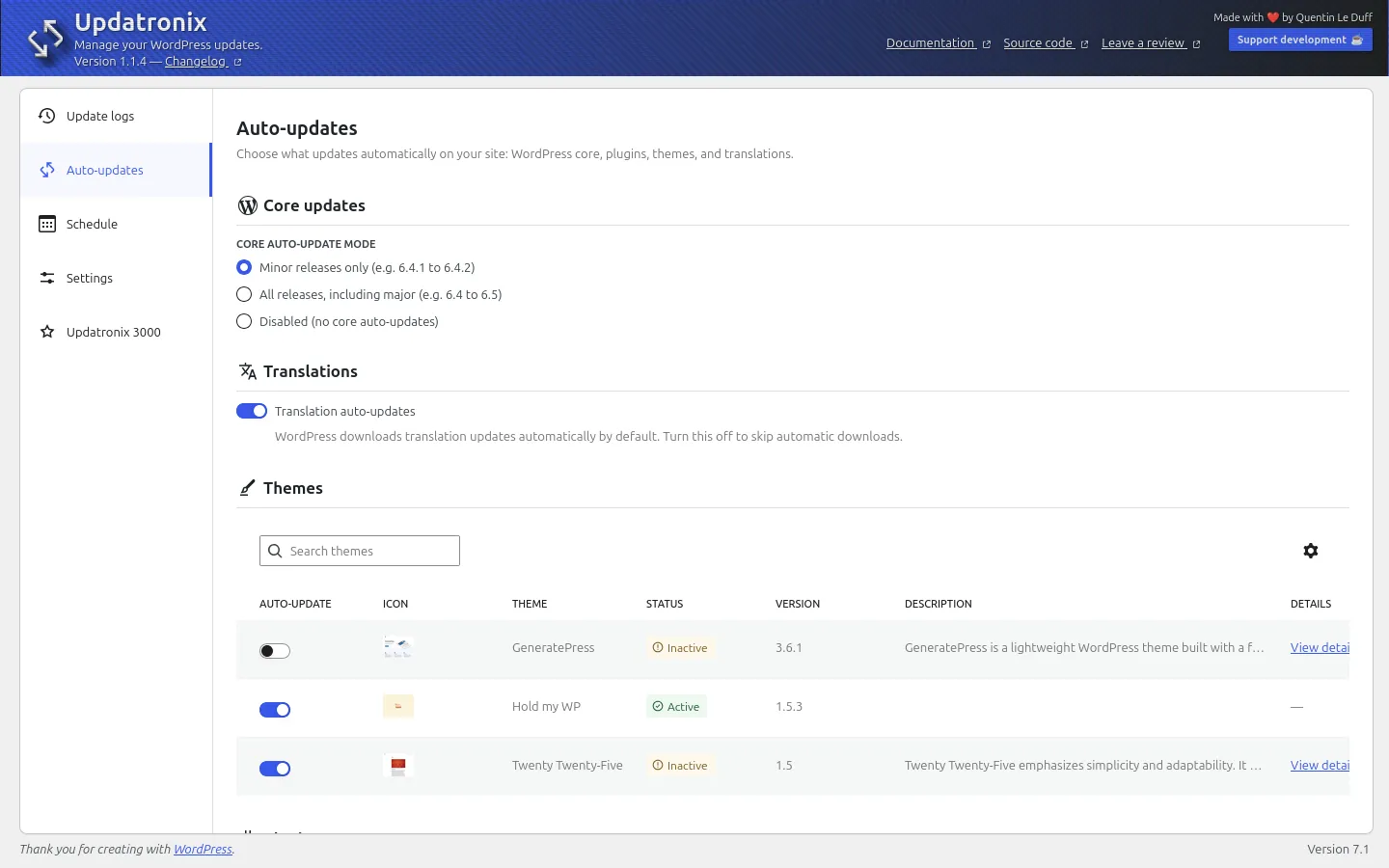
In WordPress, automatic update settings are scattered across several places. With Updatronix, you find them all in one place, on a single page: WordPress core, plugins, themes, and translations.
Notification Management
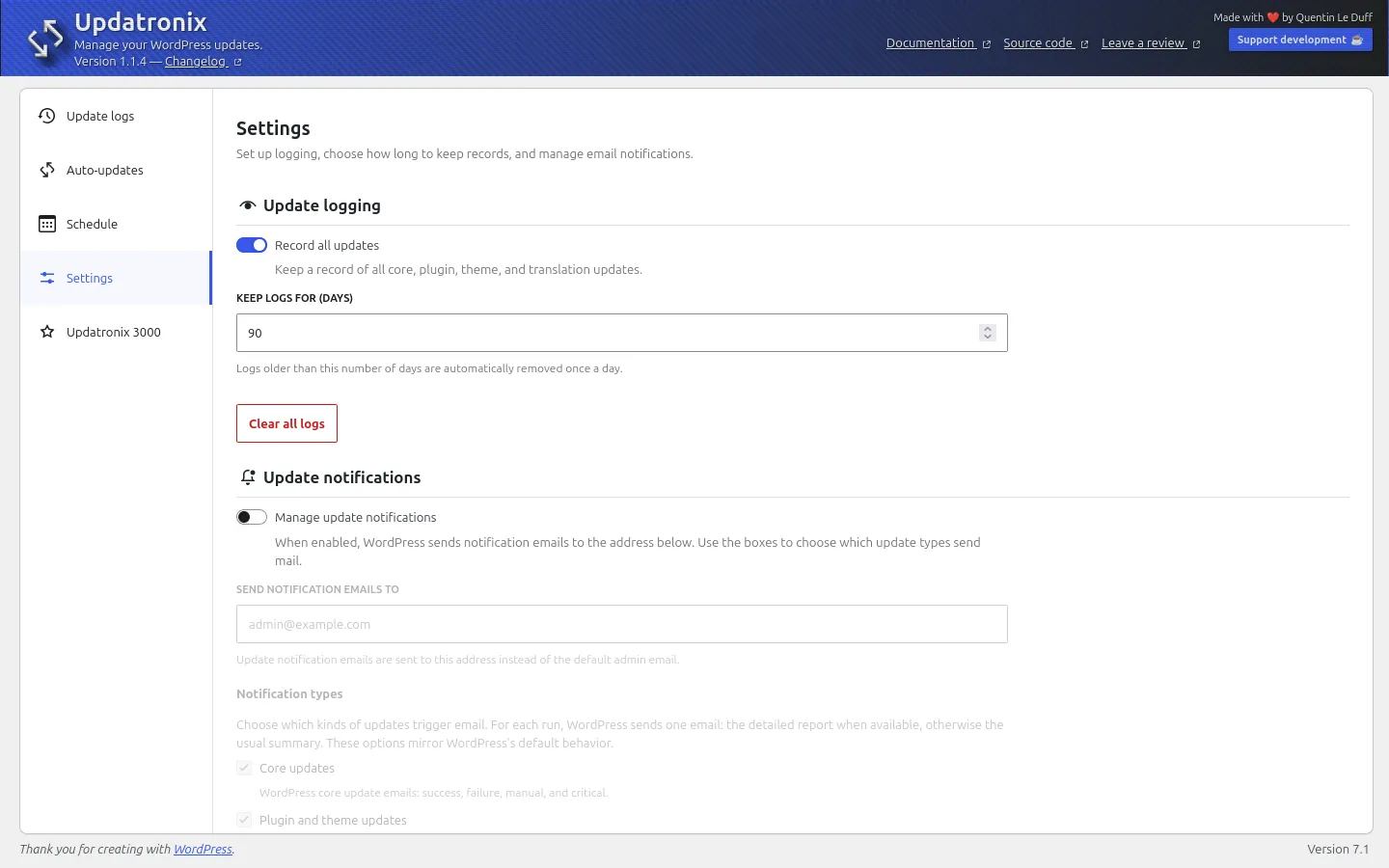
Route the update emails to the right address, or just turn them off if the Updatronix logs are enough for you.
Export update logs
A simple export to filter and share information, especially in your maintenance report emails.
Update scheduling and delay
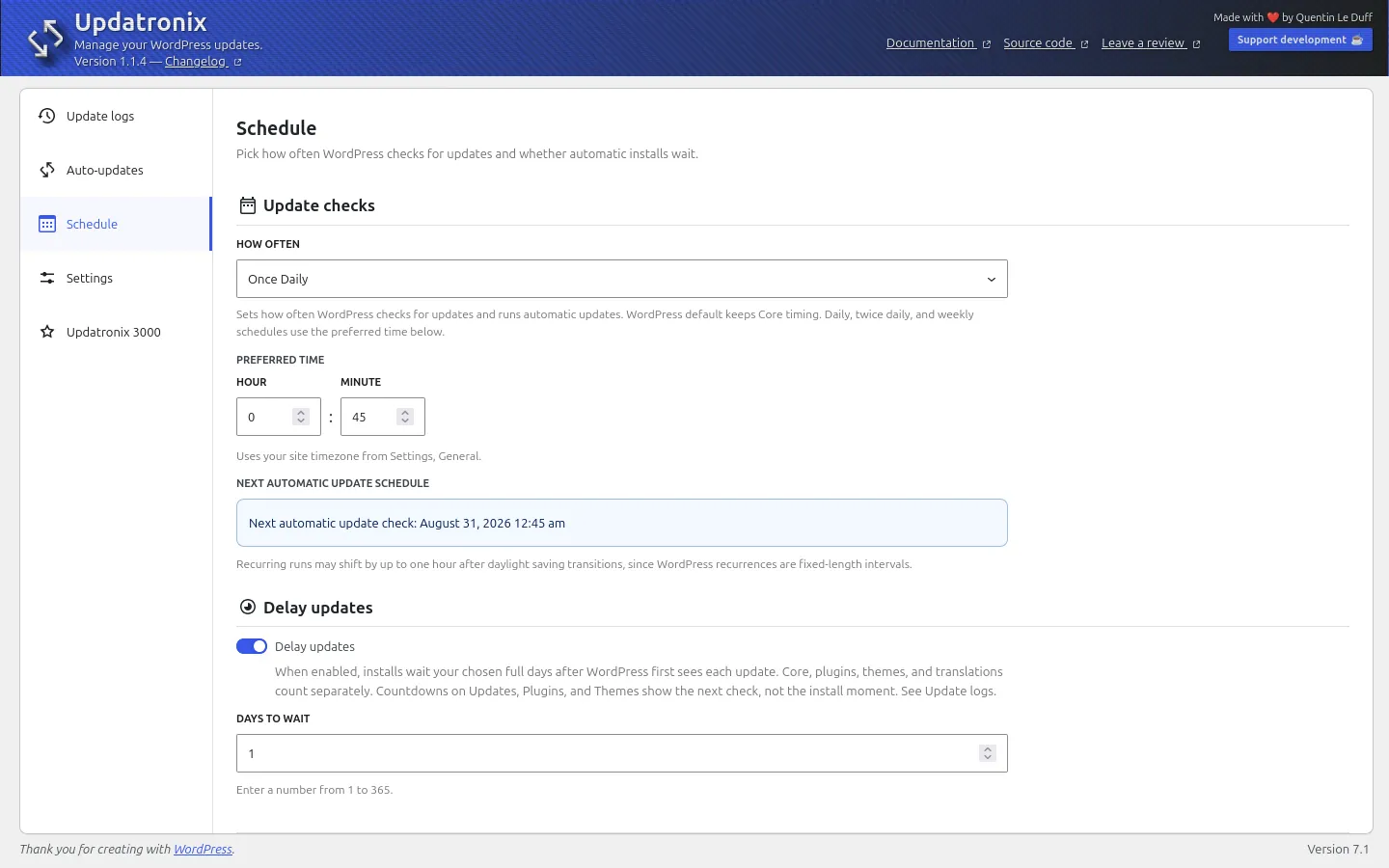
Set the precise recurrence and time for auto-updates. Avoid unstable builds by delaying updates slightly, allowing time for developers to address initial user feedback.
Multisite Compatible
Designed for everyone, from managers of a few sites to administrators of multisite networks. Manage network updates from the site network administration.
Who is it for?
Designed for all users and their diverse needs.

1
Independent site owners: Keep your site up to date with peace of mind. You will always know what has been changed.
2
Freelancers: When a client asks what you did, the answer is right there.
3
Developers: Real control over automatic updates and scheduling, with all the details of each event.
4
Agencies: The same update policy you trust, applied to every client site, each with its own update logs.

Philosophy
Open Source & Freedom
Updatronix’s code is open, readable, editable, distributable by everyone under the GPL V2 license.
Native
Native components, native operation: the plugin relies on the WordPress update engine without replacing it.
Private
Data does not leave your site. No statistics, no telemetry, and no calls to a third-party server.
Compliant
Complies with WordPress Coding Standards (PHP, CSS, JS), PHPStan, ESLint, Stylelint, and Plugin Checker.
Accessible
Each feature is described and explained so that everyone can find their way around.
Robust
The Updatronix plugin is designed to remain reliable over time and keep up with the evolution of the WordPress CMS.
Lightweight
Lean by design. Adds only the necessary features, nothing superfluous, and no modules that bloat the site for no reason.
Built for you and for us
Originally built to strengthen our maintenance and hosting practices.
Frequently Asked Questions
No, that is not its purpose. Updatronix helps you strengthen your update practices. For peace of mind with every update, you can schedule it right after a scheduled backup of your site, using a dedicated plugin or the server hosting your site.
Nowhere. The log and settings stay on your site. No statistics, no telemetry, no calls to a third-party server.
Yes. In the settings, turn off update notifications. Recovery mode emails are kept: without them, you would risk locking yourself out of your own site.
Yes. It hooks into the native operation of WordPress. Everything that goes through the standard update system ( WordPress.org, private sources, host mirrors ) is logged.
No. Updatronix builds on WordPress’s update engine without replacing it. It adds a monitoring layer and a control layer. Everything that goes through the standard update system keeps working exactly as before: WordPress.org, private sources, host mirrors. Updatronix logs and manages, nothing more.
Yes. Updatronix lets you choose the exact recurrence and time of automatic updates. You can also add a delay: wait a few days after a new release, giving developers time to fix what early users reported, before the update reaches your site. Automatic updates stay enabled — they’re simply deferred.
Updating everything in bulk is tempting but risky: if something breaks, you can’t tell which plugin caused it. Updatronix favors a controlled strategy: configure automatic updates individually, item by item, and rely on the log to know exactly what changed if a problem occurs.
Go further with Updatronix 3000
Managing 10, 50, or 500 sites?
Manual maintenance is becoming a critical bottleneck?

Updatronix 3000 builds on the free version to enhance the control and monitoring of your WordPress site updates: PHP compatibility checking, version control, white labeling, dependency chains, developer tools…
Roadmap
Track the progress of Updatronix and Updatronix 3000. This roadmap lists delivered, in-progress, and upcoming features. License prices increase at each key feature milestone: buying early gives you lifetime access to all future updates.
Free Version
Update Logs.
Free Version
Notification Management.
Free Version
Logs export.
Free Version
Updates scheduling.
Free Version
Delay update.
Pro Version
Update shield: Checking compatibility with your versions of WordPress and PHP.
Pro Version
Release of Updatronix 3000 🎉
Free Version
Pro Version
Drafting and publishing documentation.
Free Version
Added a setting to enable complete data deletion upon uninstallation, rather than as a default behavior. To avoid losing data during a reinstallation.
In progress…
Pro Version
Automatic update queue to prevent disk write errors.
Free Version
Improved logging: recording of manual updates via FTP or any other external source outside the standard native process.
Pro Version
Secure Updates: Manage updates for version-controlled elements (Git…). Verification and alerts on abandoned extensions.
$12
Free Version
Direct links to the elements’ changelogs from the update log, to check changes in a single click.
Pro Version
White label: Rebrand Updatronix with your colors for your maintenance service.
$19
Pro Version
Security Updates: option to automatically reactivate automatic updates when the next published versions are tested and compatible with the current site to avoid having to do it yourself when an element has been flagged once.
Pro Version
Advanced Export: Export logs in CSV, XML, and JSON formats.
Pro Version
Update flow: Update dependency chains between elements to avoid temporary incompatibilities.
For example, update your payment gateways before WooCommerce.
$29
Free Version
Pro Version
Notifications: Added a set of email notifications to keep you more accurately informed of what is happening and facilitate decision-making.
Pro Version
Development tools: hooks, functions, and a REST API to integrate Updatronix into your own pipeline.
Send events to your dashboards, trigger backups, automate your maintenance reports, imagine whatever you want, and optimize your workflow thanks to a solid foundation.
$39
Related posts
-
Discover how to delay WordPress automatic updates – by item and by version with Updatronix 1.1 to maintain your sites with peace of mind.
reviews

-
Opinion of Matze Pabst
Very helpful plugin
In the default view, the Update Log displays a very clear list of recent update activities. If desired, you can view a great deal of detail about each individual activity.
I also find the auto-updates view very well-designed. It’s much clearer than the standard plugin list, and you can configure updates quickly and easily.
I don’t use the Schedule feature at the moment, but I think it could be very useful for some admins.
I have all email notifications activated so I’m always up to date without having to visit each website explicitly.
Quentin, keep up the good work!
PS: A little feature request: when a plugin receives a major release, I’d like to skip the major release and automatically install the next minor release first. I don’t know if that’s possible, but it would be very helpful for some plugins.https://wordpress.org/support/topic/very-helpful-plugin-499/
-
Opinion of @latablerouge
Lightweight and convenient
This simple plugin solve my problem of having unwanted updates, both for plugins and for WordPress.
And with the logs I can keep track of what is updated and when, this is quite important to clarify some workflow.
I once used a similar plugin, but It was way heavy and was more “brute-force”.https://wordpress.org/support/topic/lightweight-and-convenient/